Applied Computer Science

AI Product Studio

About the Class

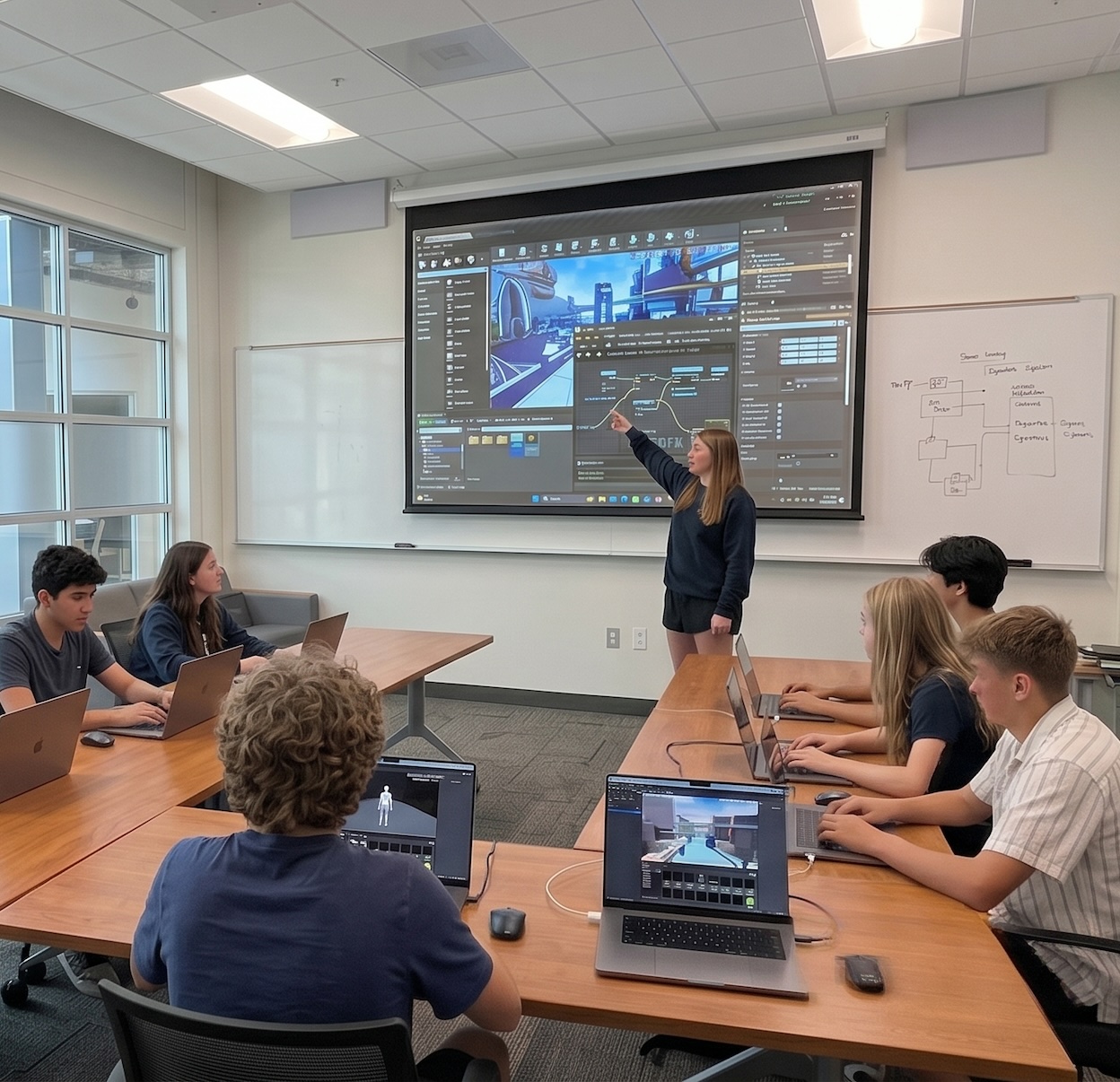
AI Product Studio is the second semester of Applied Computer Science, our free, year-long high school computer science course. Students who completed Foundations of Software and AI arrive here knowing how the internet works, how software is built, and how to use AI tools to write and ship code. This semester, they put all of it to work.

The format shifts from concept-driven weekly builds to a studio environment where students spend most of their time designing, building, and improving software projects. Facilitators work alongside them to push projects further and help students develop the judgment that comes from actually finishing things.

The semester culminates in a Demo Day where students present original applications to peers, facilitators, and parents. It counts as 0.5 credits and completes the high school computer science credit for the year.

Why Come?

๐Ÿ†“ Free for high school students
๐Ÿ—๏ธ Build real software products from idea to launch
๐Ÿค– Add AI features to applications using real developer tools
๐Ÿ” Implement databases, user accounts, and authentication
๐ŸŽฏ Develop product thinking alongside technical skills

Location:

Bletchley Commons
411 University Ridge
Greenville, SC 29601

Fall 2026
Calendar Icon Eduhub X Webflow Template | Brix Template
Thursdays, Sep 3 - Nov 19
Time Icon Ligth Eduhub X Webflow Template | Brix Template
1:00 PM - 2:30 PM
or
Calendar Icon Eduhub X Webflow Template | Brix Template
Fridays, Sep 4 - Nov 20
Time Icon Ligth Eduhub X Webflow Template | Brix Template
10:30 AM - 12:00 PM
Spring 2027
Calendar Icon Eduhub X Webflow Template | Brix Template
Thursdays, Jan 14 - Apr 8
Time Icon Ligth Eduhub X Webflow Template | Brix Template
1:00 PM - 2:30 PM
or
Calendar Icon Eduhub X Webflow Template | Brix Template
Fridays, Jan 15 - Apr 9
Time Icon Ligth Eduhub X Webflow Template | Brix Template
10:30 AM - 12:00 PM

Course Outline

Modern Software Workflow + Refactoring

Rebuild a small app from scratch by moving through ideation, prototyping, code editing, and deployment in a single session.

Learn how modern AI-assisted development actually works end to end, and get comfortable navigating and modifying a real codebase.

Databases for Applications

Add a real database to an application so saved tasks, notes, or preferences survive beyond a single session.

Learn how persistent data works, how applications store and retrieve information, and how to connect a database to a working app.

Authentication Systems

Implement a working login system that lets users create accounts and sign in securely.

Learn how login and logout flows work, what secure access actually means, and how authentication connects to the database underneath.

AI Features in Applications

Integrate a meaningful AI feature into an existing project, such as a chat assistant, summarizer, or recommendation tool.

Learn how to use AI APIs and structured prompts to power real product features inside an application with data and user accounts.

Building AI Tools

Design and build a complete standalone tool whose primary purpose is AI-driven, such as a tutor, writing coach, or workflow automator.

Learn how to architect an AI-first product, design prompt workflows, and treat AI as the core of a tool rather than an add-on.

Midterm Demo

Run a focused improvement sprint on a personal project, then present it to classmates for feedback.

Learn how to prioritize the highest-impact improvements, explain technical decisions, and use real feedback to guide what gets built next.

Launching Software

Deploy an application to a real public URL with a custom domain and basic analytics.

Learn what it means to ship software, how custom domains and analytics work, and how a real launch differs from a preview URL.

Scaling Ideas + Startup Thinking

Add growth features to a project while stepping back to examine whether the product solves a real problem in a compelling way.

Learn how product-market fit works, how to identify genuine user needs, and how to sharpen a value proposition like a startup founder.

Facilitator Studio

Work one on one and in small groups with facilitators on the specific challenges inside a personal project.

Learn how professional developers get useful feedback, how to review architecture with fresh eyes, and how to act on targeted critique.

Final Project Development

Scope a capstone project, define the target user, and begin building in the same session.

Learn how to plan a real product, prioritize features against a realistic timeline, and translate a plan into working software.

Final Project Development

Continue building the capstone with a focus on polish, testing, and preparing for a public audience.

Learn how to think like a first-time user, find and fix the rough edges, and bring a project to a genuine finished state.

Demo Day

Rehearse, make final fixes, and present the capstone live to peers, facilitators, and parents.

Learn how to communicate technical work clearly, explain design decisions, and present software to a non-technical audience.

Register To Attend

Please see the course requirements and dates above before registering to attend. If you have multiple attendees, please sign them up separately.

Thank you! Your registration has been received!
Oops! Something went wrong while submitting the form.
Thank you! Your registration has been received!
Oops! Something went wrong while submitting the form.